A dashboard that scores which content passage best answers a search question
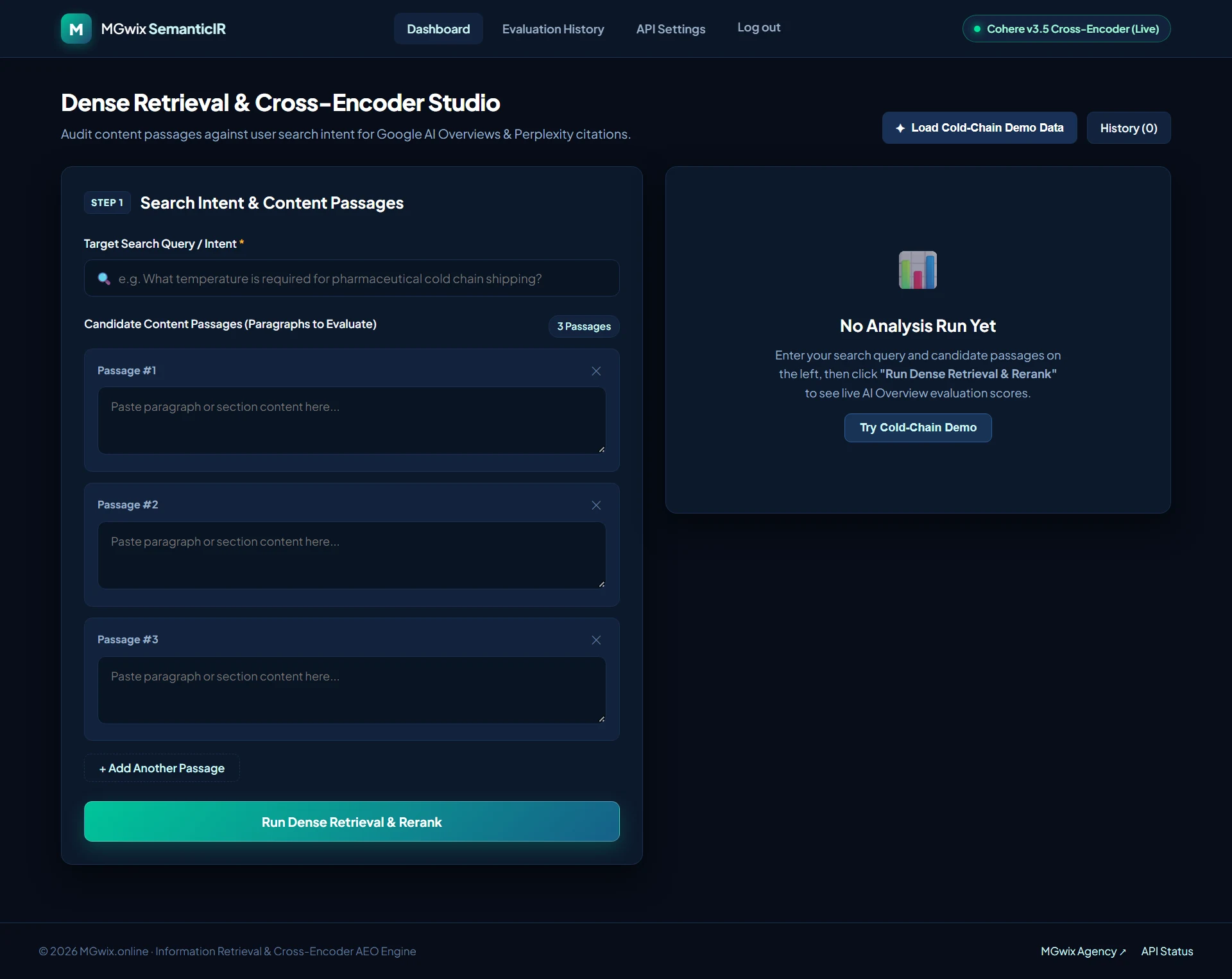
A password-protected web dashboard that compares content passages with a search query using embeddings and a reranking model, then shows each passage's rank, an alignment verdict, and query words the top passage is missing.
Sector: AEO and content tooling
- 3Steps: dense retrieval, reranking, verdict
- 2Engine modes: live Cohere or built-in local
- 3Verdict levels: high, moderate, low alignment
- .xlsxExport of the full evaluation history
PROJECT GALLERY
Screens and visuals
THE BRIEF
The challenge
When several drafts compete to answer the same search question, picking the best one by eye is slow and subjective, and it is hard to tell what a passage is missing.
THE PLAN
A practical approach
Paste a search question and a few candidate passages. The dashboard ranks them by embedding similarity, reranks them with a cross-encoder model, and compares the two orders. It then gives an alignment verdict for the top passage, lists the query words that passage lacks, and suggests where to add them.
HOW IT WORKS
From a question to a verdict
- 01Enter the question
Type the search question or intent the content should answer.
- 02Add passages
Paste three or more candidate paragraphs. Add or remove boxes as needed.
- 03Dense retrieval
Passages are turned into embeddings and ranked by cosine similarity to the question.
- 04Rerank
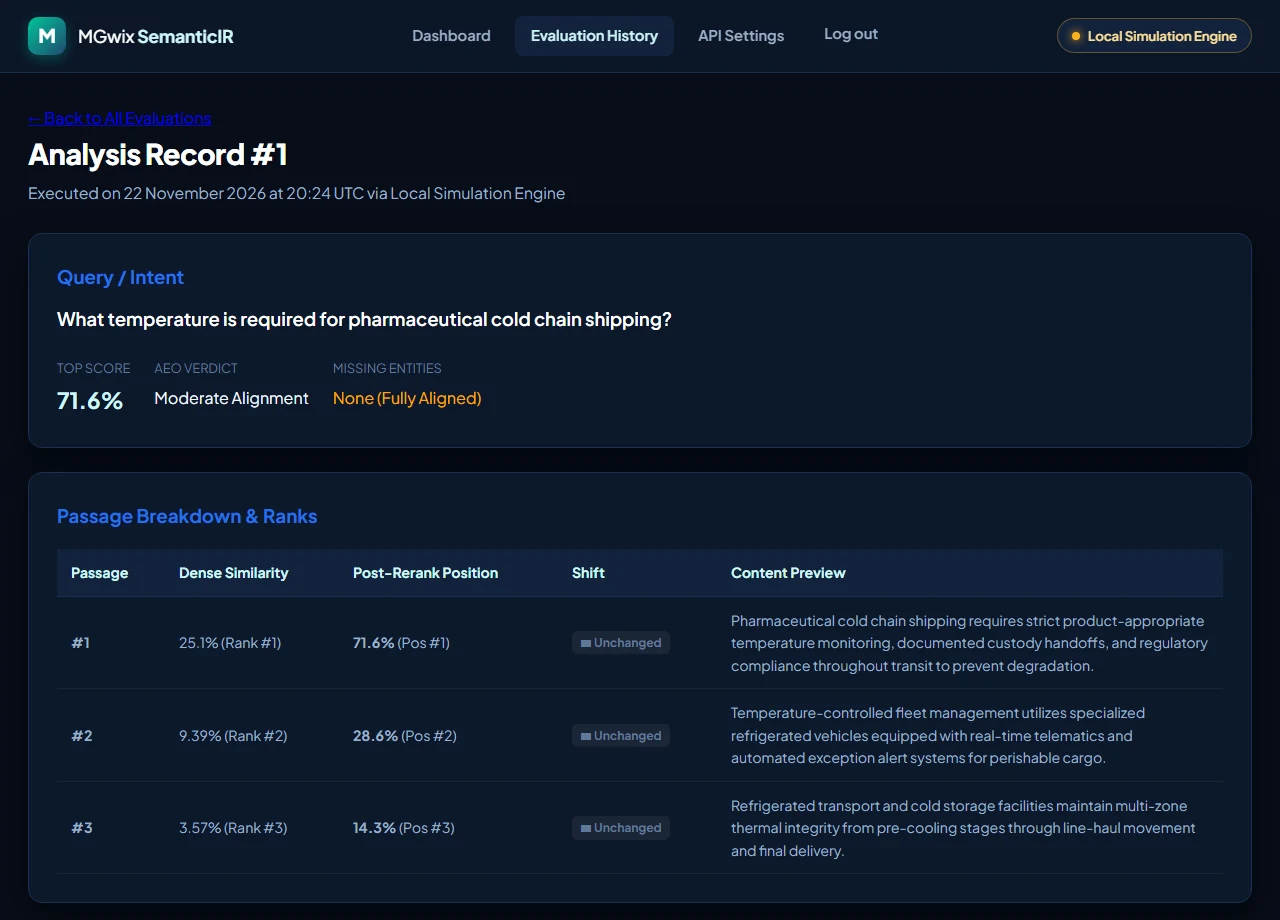
A cross-encoder reranker scores each passage again. The table shows how each rank moved up or down.
- 05Read the verdict
The top passage gets a score and a verdict, plus the question words it is missing and suggested wording.
WHY IT WAS BUILT THIS WAY
Three decisions that shaped the tool
Two engines, one tool
It uses Cohere when a key is set and a built-in engine when it is not, so the dashboard always works. A status badge shows the active engine.
Keys stay on the server
API keys come only from environment variables. They are never typed into the browser or stored in the database.
Everything behind a login
Every page and the analysis endpoint need sign-in. The app will not start without a long password and a secret key.
WHAT WAS BUILT
What it does
This is an internal Mosaic Webs tool, built and run by Mosaic Webs for its own content work. It estimates how closely each passage matches a search intent. It does not predict, and cannot guarantee, that Google or Perplexity will cite a page. With a Cohere key it uses Cohere's embedding and rerank models; without one it falls back to a simpler built-in engine, and the dashboard always shows which one is active.
Analysis
- One search question and three or more passages per run
- Dense retrieval: embeddings and cosine similarity
- Cross-encoder reranking (Cohere rerank-v3.5 when a key is set)
- A built-in local engine when no key is set
- One-click sample data to try it out
Results
- Top score shown as a percentage, with the winning passage named
- Comparison table: dense similarity, dense rank, rerank score, new position
- Rank shift arrows showing which passages moved up or down
- Verdict: high alignment at 80% and above, moderate from 50%, otherwise low
- Query words missing from the top passage, with a suggested wording note
History and export
- Every run saved with its question, engine, score, verdict and passages
- A history list and a detail page for each run
- Download the whole history as an Excel file
Security and hosting
- Password-protected pages with an 8-hour session
- Secrets read from environment variables only
- SQLite for local use and PostgreSQL on Render
- A Render Blueprint that sets up the service and its database